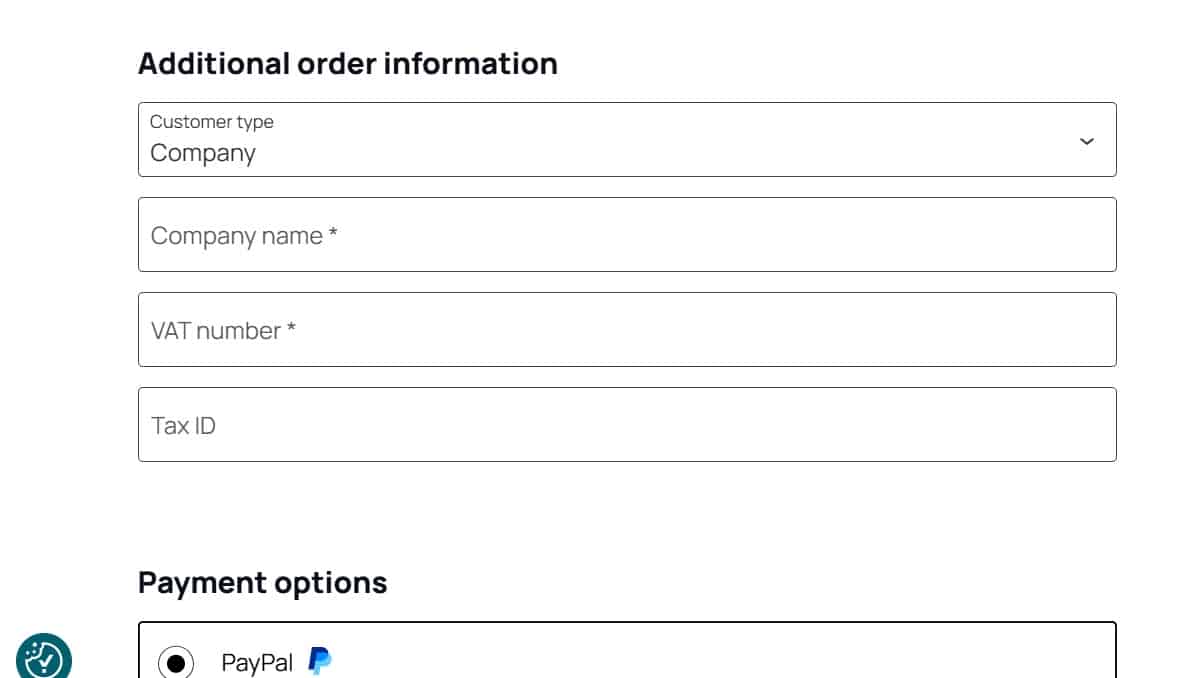
Selling to EU B2B customers with WooCommerce requires more than just adding a VAT field at checkout. To apply VAT exemption correctly, you must validate EU VAT numbers in real time using the official VIES system provided by the European Commission.
In this 2025 guide, you’ll learn how to check an EU VAT number in WooCommerce, how VIES validation works, and how to implement it correctly with WooCommerce Blocks and Classic Checkout.
What Is VIES and Why It Matters for WooCommerce
VIES (VAT Information Exchange System) is the official European Union service used to verify the validity of EU VAT numbers for cross-border B2B transactions.
If you sell to companies in other EU countries and:
- apply 0% VAT (intra-community supply)
- or manage reverse charge VAT
you are legally required to validate the customer’s VAT number via VIES.
Without validation:
- VAT exemption may be applied incorrectly
- your store may fail tax audits
- you risk penalties or back-tax claims
Does WooCommerce Validate EU VAT Numbers by Default?
No.
WooCommerce does not validate EU VAT numbers via VIES out of the box.
By default:
- there is no EU VAT number field
- no VIES API check
- no automatic validation at checkout
This is even more critical if you are using:
- WooCommerce Blocks Checkout
- international B2B stores
- mixed B2C / B2B sales
To perform a real VIES VAT check, you need a dedicated solution.
How VIES EU VAT Validation Works in WooCommerce
A correct VIES validation workflow in WooCommerce should:
- Add an EU VAT number field at checkout
- Detect the customer’s country
- Send the VAT number to the official VIES service
- Receive a valid / invalid response
- Allow or deny VAT exemption accordingly
- Handle VIES downtime gracefully
A professional implementation must not block checkout if VIES is temporarily unavailable (a very common scenario).
Common Problems with VIES VAT Validation
Many store owners run into issues such as:
- ❌ VAT field visible but not validated
- ❌ Validation works only on Classic Checkout, not Blocks
- ❌ Checkout blocked when VIES is offline
- ❌ Invalid VAT formats accepted
- ❌ No compatibility with caching or AJAX checkout
These problems usually come from:
- outdated plugins
- partial integrations
- lack of support for modern WooCommerce features
VIES VAT Check with WooCommerce Blocks (Important in 2025)
Since WooCommerce is moving toward Blocks Checkout, VAT validation must be fully Blocks-compatible.
A correct solution should:
- work with Cart & Checkout Blocks
- validate VAT numbers in real time
- avoid JavaScript-only validation
- remain compatible with taxes, fees, and coupons
Many older VAT plugins do not support Blocks and silently fail.
Recommended Solution: VIES VAT Validation for WooCommerce
If you need a reliable EU VAT number check via VIES, compatible with:
- WooCommerce Blocks
- Classic Checkout
- EU B2B compliance
- international stores
you can use a dedicated solution like:
👉 GG Checkout International for WooCommerce
(official VIES validation, Blocks support, and advanced international checkout fields)
It allows you to:
- validate EU VAT numbers via VIES
- avoid checkout failures when VIES is down
- support Italy-specific fields (CF, PEC, SDI)
- work seamlessly with WooCommerce taxes
FAQ – EU VAT Number & VIES Validation in WooCommerce
What is VIES VAT validation?
VIES VAT validation is the process of checking whether an EU VAT number is valid using the official EU VIES database.
Is VIES validation mandatory?
Yes, if you apply VAT exemption for intra-EU B2B sales, validation is legally required.
What happens if VIES is down?
A well-built WooCommerce integration should not block checkout and should handle the failure safely.
Does WooCommerce Blocks support VAT validation?
Only if the plugin is Blocks-ready. Many older plugins are not compatible.
Final Thoughts
If you sell B2B across Europe, EU VAT number validation via VIES is not optional.
In 2025, a proper WooCommerce setup must:
- support VIES checks
- work with Blocks Checkout
- remain compliant even during VIES downtime
Implementing VAT validation correctly protects your business, your customers, and your tax compliance.
