Introduction
One of the biggest problems in WooCommerce stores is not pricing or traffic — it’s product discovery.
Customers often know what they want, but not how to search for it:
- They use vague queries
- They don’t know product names or categories
- They describe needs instead of keywords
Traditional WooCommerce search struggles with this.
AI-powered semantic search, combined with a conversational chatbot, changes the way customers find products.
What Is Semantic Search (and Why Keyword Search Fails)
Standard WooCommerce search is keyword-based:
- It matches exact words
- It ignores intent and context
- It fails when users search naturally
Example:
“Comfortable shoes for walking all day”
A classic search engine looks for:
- “comfortable”
- “walking”
- “shoes”
If those exact words aren’t in product titles or descriptions, results are poor — or empty.
Semantic search works differently
Semantic search understands:
- Meaning, not just words
- User intent
- Context (page, category, cart, previous messages)
Instead of matching keywords, it matches concepts.
How Semantic Search Works in WooCommerce Plugin AI Chatbot
The WooCommerce AI Sales & Support Assistant uses a vector-based semantic search system powered by AI.
Here’s how it works behind the scenes:
1. Products and Content Are Indexed Semantically
The plugin automatically converts:
- Products
- Categories
- Attributes
- FAQs
- Pages
- Uploaded files (PDF, JSON, DOCX, CSV)
into semantic vectors stored in a vector database.
This allows the AI to understand:
- Product purpose
- Use cases
- Variants and attributes
- Relationships between products
2. Customers Search in Natural Language
Instead of forcing keyword searches, customers can ask:
- “I need something for dry skin”
- “Show me shoes similar to the ones in my cart”
- “Do you have a cheaper alternative?”
- “I bought this last month, can I reorder it?”
The chatbot interprets:
- Intent
- Context
- Page type (product, category, cart)
- User state (guest or logged-in)
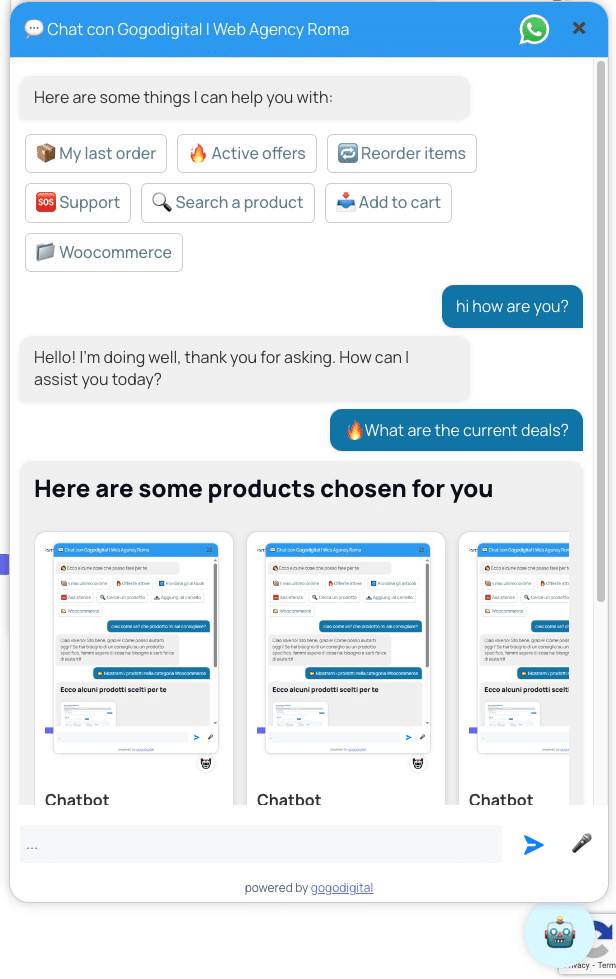
3. Results Are Delivered as Interactive Product Carousels
Search results are not just text.
The chatbot responds with:
- Product cards
- Images
- Prices
- Variants
- “Add to cart” buttons
- Related and similar products
All directly inside the chat.
This removes friction and keeps users inside the buying flow.
Why This Matters for WooCommerce Stores
Semantic search + AI chat changes how users interact with your store:
✅ Better Product Discovery
Customers find relevant products even if they don’t know names or categories.
✅ Fewer Support Questions
Many “Do you have something like…?” questions are answered automatically.
✅ Context-Aware Suggestions
The assistant knows:
- What’s in the cart
- What page the user is on
- What they already asked
✅ Higher Quality Interactions
The AI doesn’t give generic answers — it uses your real data.
Beyond Search: From Discovery to Action
Because the chatbot is fully integrated with WooCommerce, semantic search connects directly to actions:
- Add products to cart
- Suggest variants or upgrades
- Recommend accessories (cross-sell)
- Reorder past purchases with one click
- Retrieve order status
All without leaving the chat.
Why a Chatbot Is the Right Interface for Semantic Search
Semantic search works best in a conversational interface.
Customers don’t want to “search” — they want to ask.
The WooCommerce AI Sales & Support Assistant combines:
- Conversational AI
- Semantic search
- Real-time WooCommerce data
into a single assistant that:
- Answers
- Recommends
- Acts
24/7.
Conclusion
If your WooCommerce store has:
- A large catalog
- Complex variants
- Frequent pre-sale questions
- Customers who struggle to find the right product
Semantic search powered by AI is no longer optional.
The WooCommerce AI Sales & Support Assistant turns search into a conversation — and conversations into actions.
