Sale!

WooCommerce Dynamic Pricing & B2B Price List: Price Rules, Dynamic Discounts and Reserved Pricing

Original price was: 109,00€.Current price is: 79,00€.

Advanced Price Rules for WooCommerce is the plugin for Dynamic Pricing and B2B price lists: handles reserved pricing by user, role, guest and default list.

Set custom prices, global and category discounts, exclusions, advanced conditions and priority rules. In frontend you can show full crossed out price + reserved price and recommended resale price.

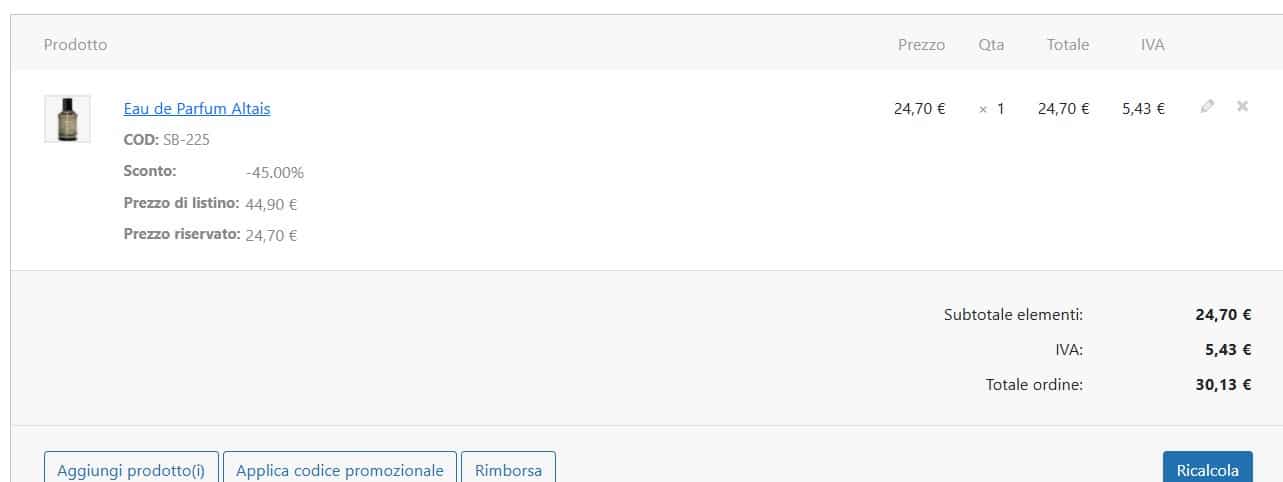
In your cart and orders you have full transparency with: Discount, List price, Reserved price, Recommended resale.

Frequently bought together

Apri un ticket su questo prodotto

Category:

Main Features

  • 👤 User-Based Price Lists
    Dedicated pricing for each individual customer.
  • 👥 Role-Based Price Lists
    Different rules for wholesalers, resellers and agents.
  • 🏷️ Advanced Discounts
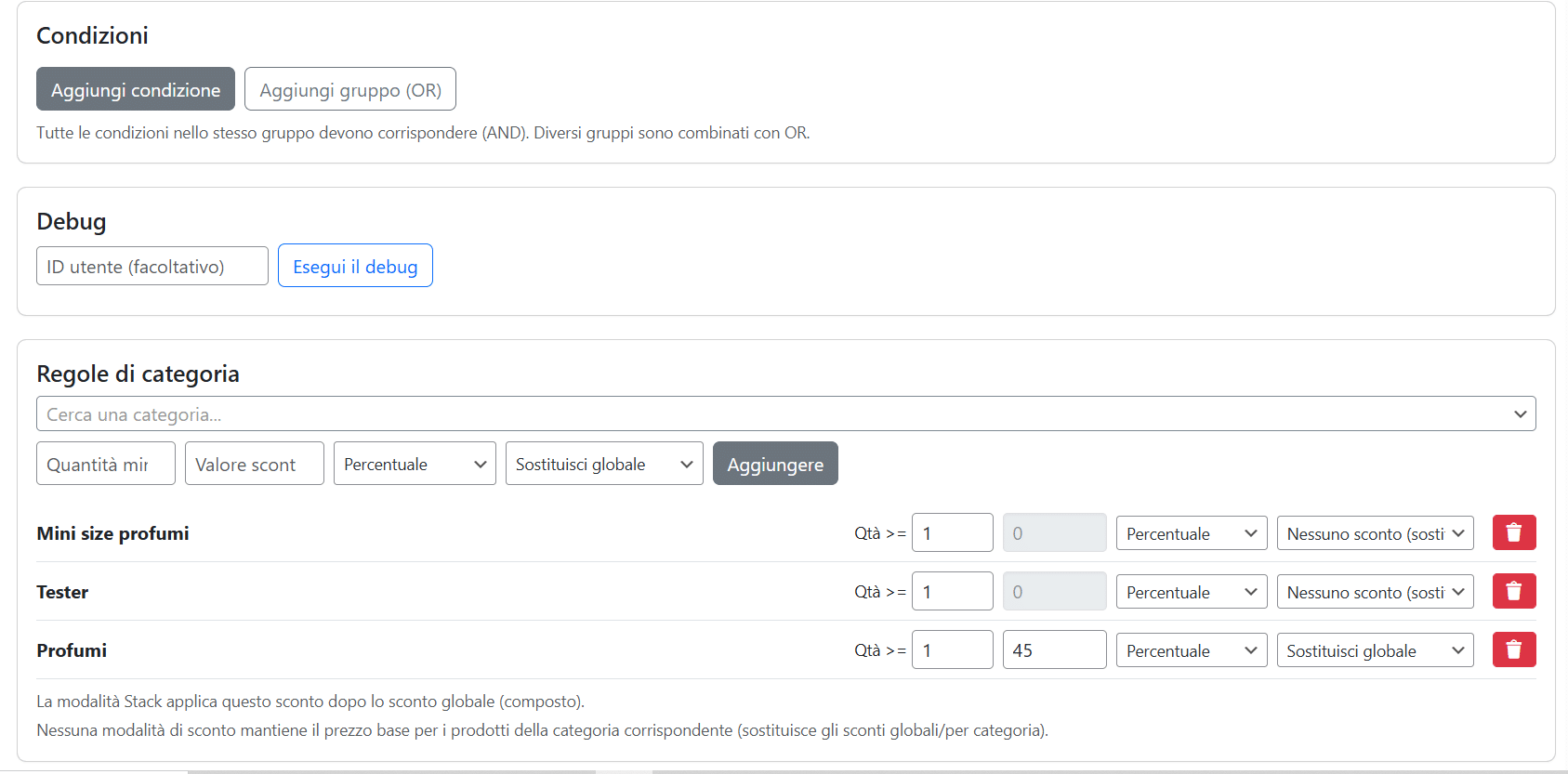
    Global and category discounts with replace/stack/override logic.
  • 🚫 Exclusion List
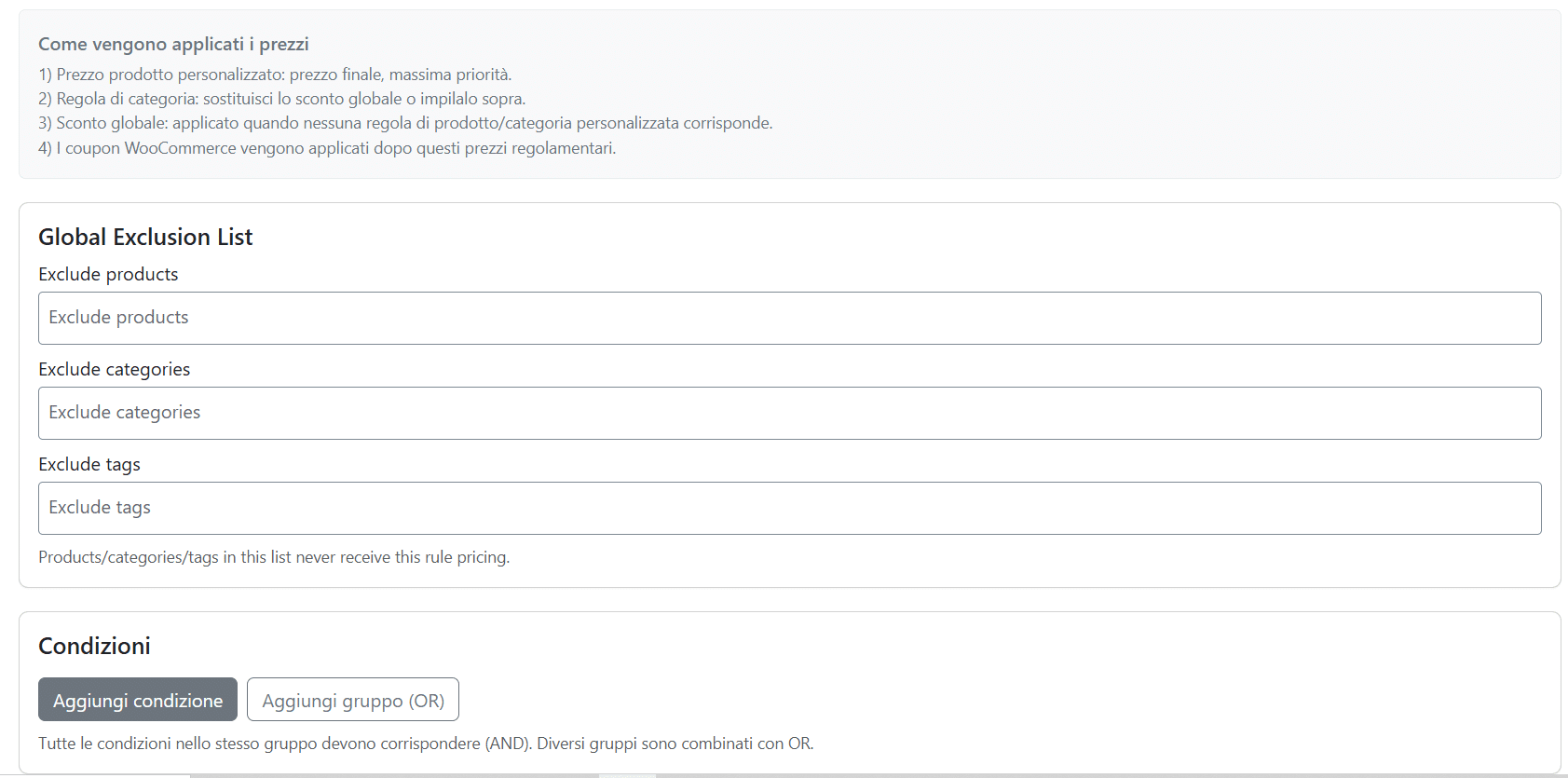
    Exclude products, categories and tags from pricing rules.
  • 📈 Recommended Price
    Set MSRP / recommended resale per rule.
  • 🧾 Order Transparency
    Clear metadata: Discount, List price, Reserved price.
  • ⚙️ Advanced Conditions
    Filters by cart, dates, coupons, payment and shipping methods.
  • 🌍 Frontend + Backend
    Rules also apply to orders created in the admin panel.

Dynamic Pricing WooCommerce Plugin with Advanced Rules

Dashboard

WooCommerce Dynamic Pricing and B2B Price Lists: Dynamic Pricing Rules, Dynamic Discounts and Reserved Pricing

WooCommerce Dynamic Pricing and B2B Price Lists: Advanced Price Rules, Dynamic Discounts and Reserved Pricing

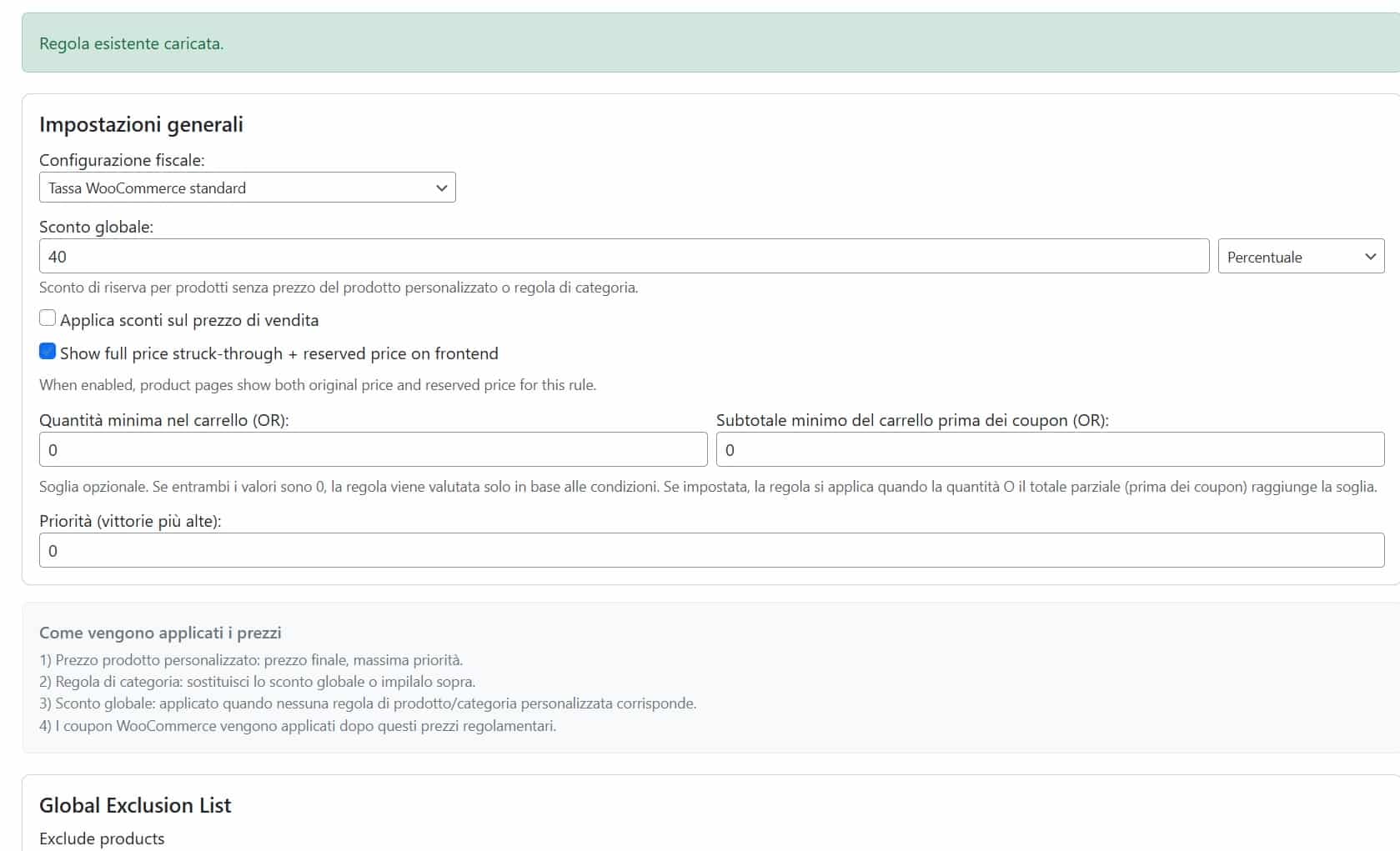
Manage B2B price lists and reserved pricing in WooCommerce with advanced rules by user, role, guest and default price list. Set custom prices, dynamic discounts, priorities, thresholds and exclusions in a clear and scalable way.

WooCommerce Dynamic Pricing and B2B price lists plugin dashboard
Price list rules dashboard: users, roles, default and guests.

What You Can Do

  • Dedicated price lists for user, role, guest and default.
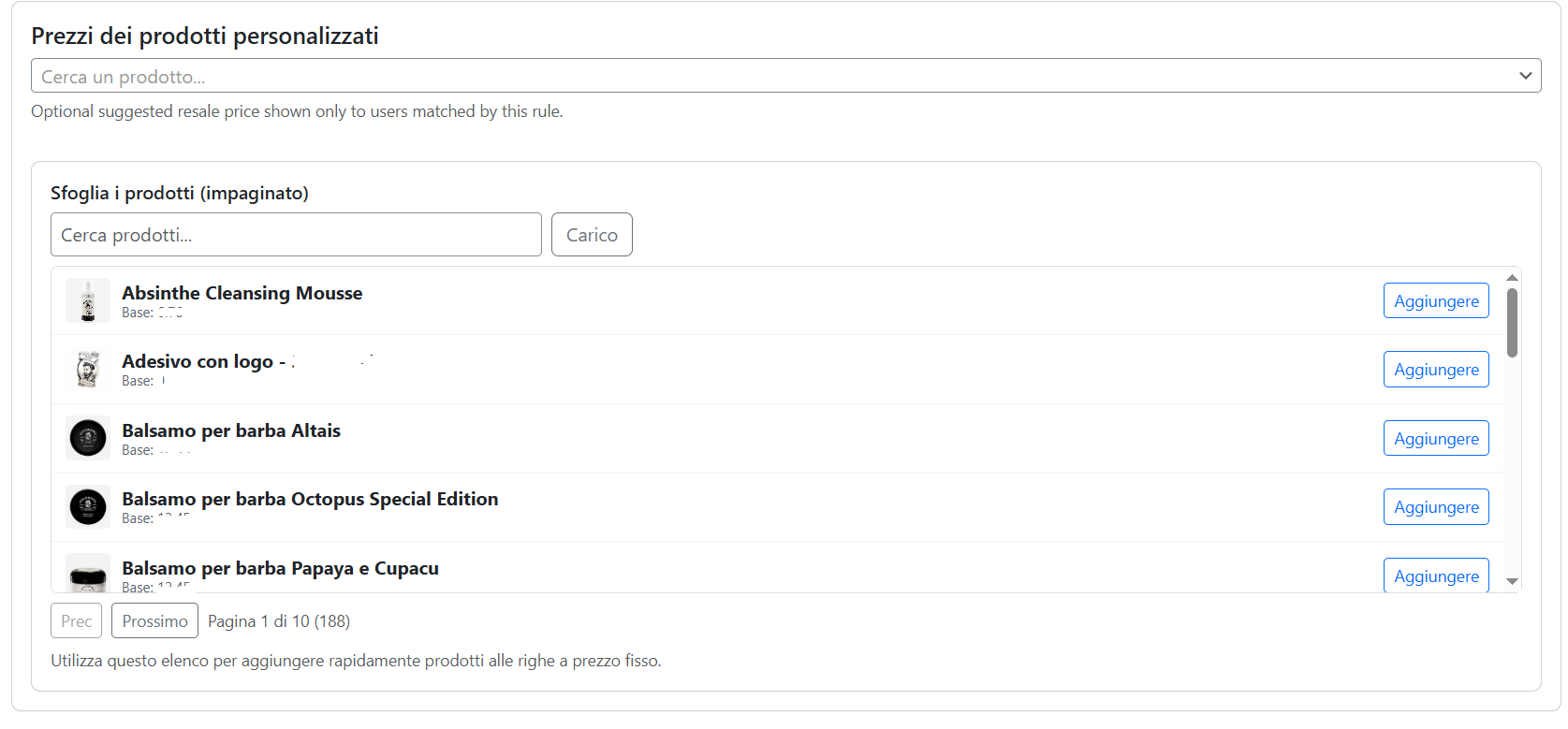
  • Custom product pricing, including minimum quantity (tier pricing).
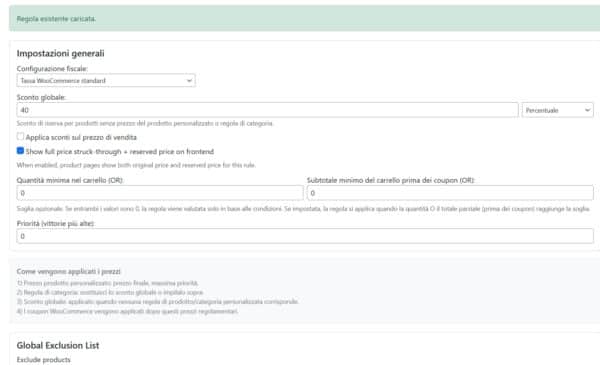
  • Global discounts and category discounts (percentage or fixed amount).
  • Category modes: Replace global, Stack on global, No discount (override).
  • Global exclusion list for products, categories and tags.
  • Advanced conditions: cart, customer, dates, coupons, payment methods, shipping methods.
  • Optional frontend display: crossed-out regular price + reserved price.
  • Recommended resale price per product (per single rule).
WooCommerce category price rules with replace stack override
Category rules with priority and application mode.

How the Pricing Engine Works

  1. Custom product price (highest priority).
  2. Category rule (replace, stack, override).
  3. Global discount (fallback).
  4. WooCommerce coupons applied after rule-based pricing.

Result: fewer conflicts, greater commercial control, and consistent pricing in both frontend and backend.

Crossed regular price and reserved price on WooCommerce B2B store
Frontend: crossed regular price, reserved price and recommended resale price.

Transparency in Cart and Order

The plugin saves and displays useful metadata for both customers and administrators:

  • Discount
  • List price
  • Reserved price
  • Recommended resale
WooCommerce cart with discount list price and reserved price details
Cart and checkout with applied pricing details.

Why Choose It

  • Designed for real B2B ecommerce.
  • Powerful yet readable rules.
  • Reduces manual price list errors.
  • Supports agents and resellers with clear and consistent pricing.

WooCommerce Admin Order Creation with List Price and Reserved Price

WooCommerce admin order with list price and reserved price

FAQ

Can I create a different price list for each customer?

Yes. You can create specific rules for individual users or for user roles.

Can I set different discounts by product category?

Yes. Each rule supports Replace, Stack and No discount (override) modes.

Is the plugin suitable for B2B?

Yes, it is designed for B2B ecommerce with reserved pricing and advanced rule management.

Can I show both regular price and reserved price?

Yes, you can enable the display of the crossed-out regular price and the reserved price within each rule.

Is the discount detail visible in cart/order?

Yes. Metadata such as Discount, List price, Reserved price and Recommended resale are saved and displayed.

Top